Use Finance on a phone
On this page
Finance works on a phone in your browser, with nothing to install. Pages are a single column, and anything wider than the screen, such as a table or a row of tabs, slides sideways.
#A stock's page on a phone
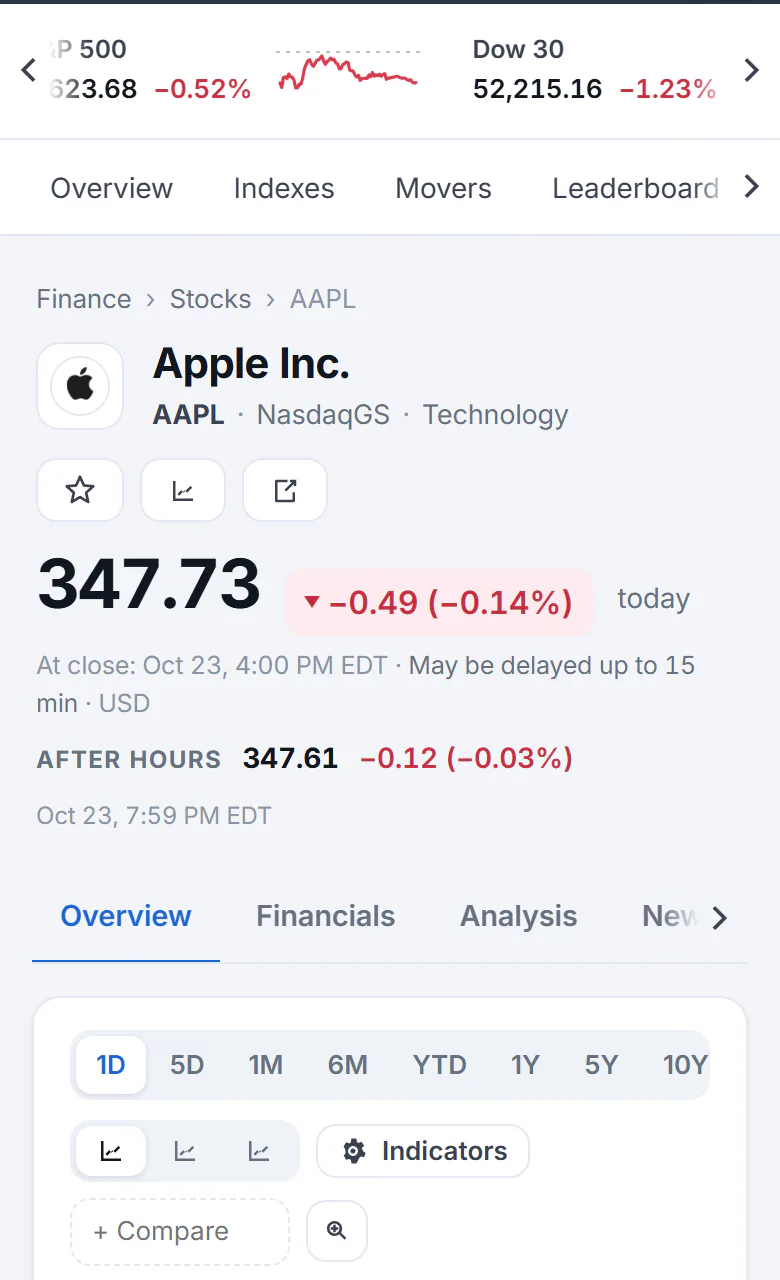
A stock's page on a phone. Follow, Compare and Share are icons; the tabs slide sideways.
- 1Name, ticker and exchange
- 2Follow, Compare and Share show as icons
- 3Slide the tabs sideways for more
- 4Chart ranges
- The market strip and the section bar under the search box slide sideways. Small arrows at their ends show that there is more, and the section you are on is brought into view.
- Follow, Compare and Share show as icons under the company's name. Select the star to follow the stock.
- The tabs (Overview, Financials, Analysis and so on) slide sideways in the same way.
- The chart fits the screen. Touch the chart and slide your finger along it to read the price at each point; the details appear under the chart.
- The cards that sit on the right on a large screen, such as About and Analyst ratings, follow the main cards in one column.
#Tables on a phone
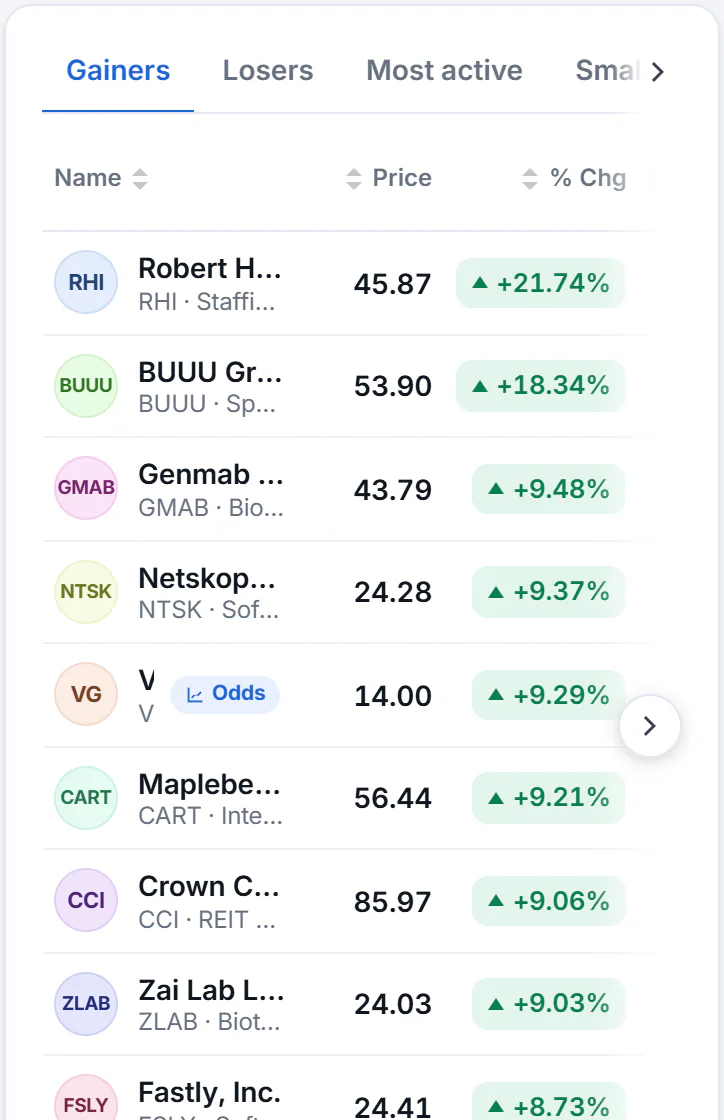
A list on a phone. The name, price and percentage change stay on screen, and the arrow at the edge shows that the table slides.
- 1Tabs slide sideways too
- 2Slide the table sideways for the rest of the columns
Wide tables, such as the movers lists, slide sideways under small arrows at their edges. To keep the important figures on screen, a table that also shows the percentage change leaves out its small chart and the change in points. Slide the table, or turn the phone sideways, to see more columns. Select a column heading to sort, and anywhere on a row to open the stock. See Sort tables and read the range columns.
Tab rows, such as the movers lists' Gainers, Losers and Most active, slide the same way.
#Put 4Search on your home screen
You can add 4Search to a phone's home screen so it opens like an app. See Install 4Search as an app.
#Common questions
Is there a Finance app?
No separate one. Finance is part of the 4Search site, which you can add to your home screen.
Can I rotate my phone?
Yes. In landscape more columns fit on screen.
Why are some columns missing on my phone?
They step aside so the name, price and percentage change fit. Slide the table sideways, or rotate the phone, to see the rest.